 By Amani Longishu
“Nitumie namba nikulipe.” If customers send money to your personal phone number, your business money gets mixed with your personal money, and customers may doubt you’re a real business. A Lipa Namba for your business solves this. It is a merchant number that customers use to pay you, and it shows them your business name before they confirm.
This guide explains how to get a Lipa Namba from M-Pesa (Vodacom), Mixx by Yas and Airtel Money, what documents to prepare, and how to use it to sell more.
What is a Lipa Namba?
A Lipa Namba is a business payment number from a mobile money network. Vodacom calls the service Lipa kwa Simu, and Mixx by Yas uses the same name. When you register, you get:
- A merchant number that customers enter when they pay.
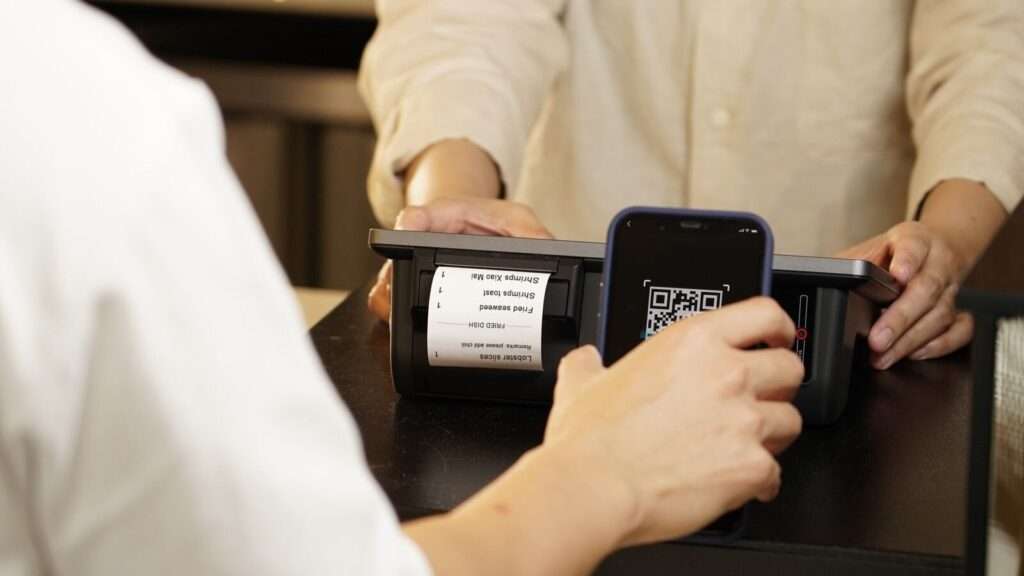
- A QR code that customers can scan instead of typing the number.
- A separate business account, so your sales are not mixed with your personal money.
- An SMS for every payment, to you and to the customer.
Why you need a Lipa Namba for your business
- Customers trust you more. They see your business name before they pay, which matters when people fear online scams.
- Customers on other networks can pay you. Vodacom says customers of all networks and banks can pay an M-Pesa Lipa Namba, and Mixx by Yas says the same of its service.
- Your records are clean. Every sale is recorded, and you can request statements. This helps with tax, loans and knowing your real profit.
- Your staff can receive payments safely. You can add other phone numbers that get payment notifications, without giving anyone your PIN.
Documents you need
The exact documents depend on the network and on the type of business. Mixx by Yas publishes its list in its Lipa Kwa Simu terms and conditions:
- Micro businesses: a registered phone number and your NIDA (national ID) registration.
- Sole proprietors: a registered phone number, a business licence and a TIN certificate.
- Companies: a registered phone number, business licence, TIN certificate, certificate of incorporation, MEMART or BRELA extract, and a letter of introduction if someone registers on the company’s behalf.
- Non-profit organisations: a registered phone number, TIN certificate, certificate of registration and a letter of introduction.
Vodacom also has different levels for small sellers and for registered businesses. Bring your NIDA ID, and your TIN and business licence if you have them, and ask at the Vodashop which level fits your business.
If you don’t have a TIN yet, read online business tax in Tanzania to see why it is worth getting one.
How to get an M-Pesa Lipa Namba (Vodacom)
- Visit a Vodashop with your NIDA ID and your business documents.
- Ask to register for Lipa kwa Simu and fill in the merchant form.
- Choose the phone number that will own the account and receive notifications.
- When your account is created, you receive an SMS to set your PIN. Vodacom says account creation takes within 24 hours.
- Collect or print your QR code and display your Lipa Namba in your shop and on your pages.
You manage the account by dialling *150*00# or with the M-Pesa Business App. From there you can transfer money to your bank or to your own Vodacom number, withdraw at an agent, check your last transactions and request statements. For help, Vodacom gives 100, WhatsApp 0754 100 100 and support@vodacom.co.tz on its Lipa kwa Simu page.
For very small sellers: Vodacom also offers Pochi la Biashara, which lets small businesses collect payments on their M-Pesa number while keeping business and personal money separate. Ask about it at the Vodashop if you are just starting.
How to get a Mixx by Yas Lipa Namba
- Make sure your Yas line is biometrically registered with Mixx by Yas.
- Visit a Yas shop with the documents for your business type (see the list above).
- Complete the merchant registration and accept the terms.
- You receive a merchant account with an eight-digit merchant code and a QR code, then you set your PIN.
According to its terms, a Mixx by Yas merchant account can accept payments from any mobile network or bank, add staff users, generate statements, and withdraw cash or transfer to a linked bank account.
How to get an Airtel Money Lipa Namba
Visit an Airtel shop with your NIDA ID and your business documents, and ask to register as an Airtel Money merchant. Airtel also has an Airtel Money Merchant app for accepting QR code payments and tracking sales. Airtel Money customers pay through *150*60# and the Lipa kwa simu menu. Confirm the current requirements at the shop before you go, so you bring the right documents.
How customers pay your Lipa Namba
On M-Pesa, the customer dials *150*00#, chooses 4 (Pay by M-Pesa), then 1 (Pay by phone), then 1 (Enter Lipa Number), and enters the amount and PIN. Customers can also scan your QR code in their mobile money app. Share these steps on your status so new customers don’t get stuck.
What does it cost?
Vodacom says customers pay the normal charges when they pay a merchant. Networks can set charges on the merchant side too, especially for withdrawals and bank transfers, and they change them from time to time. Ask for the current charges when you register, and compare them with what you save by not handling cash.
How to use your Lipa Namba to sell more online
- Put it everywhere: your Instagram bio, WhatsApp Business profile, TikTok, price lists and delivery bags.
- Add it to your ads. When customers see your price and your Lipa Namba together, they can buy immediately. Read how to advertise your business online in Tanzania for more.
- Send a confirmation message after every payment, so customers feel safe buying again.
- Never ask customers to send money to a personal number once you have a Lipa Namba. Consistency builds trust.
Get paid like a real business
A Lipa Namba for your business is one of the cheapest upgrades you can make to your business. It makes paying you easy, shows customers you are serious, and keeps your money organised. Register with the network most of your customers use, display your number everywhere, and start selling with confidence.
When you’re ready to bring more paying customers to your Lipa Namba with sponsored ads, book a session with me.